
Transactions

This guide provides an overview of the Transactions section, available via the GrowthInvest platform. This section provides detail on all transactions across a client’s entire portfolio.


Go to app.growthinvest.com

1. Transactions

Start by accessing the “Portfolio” section and selecting “Transactions” from the drop-down menu.
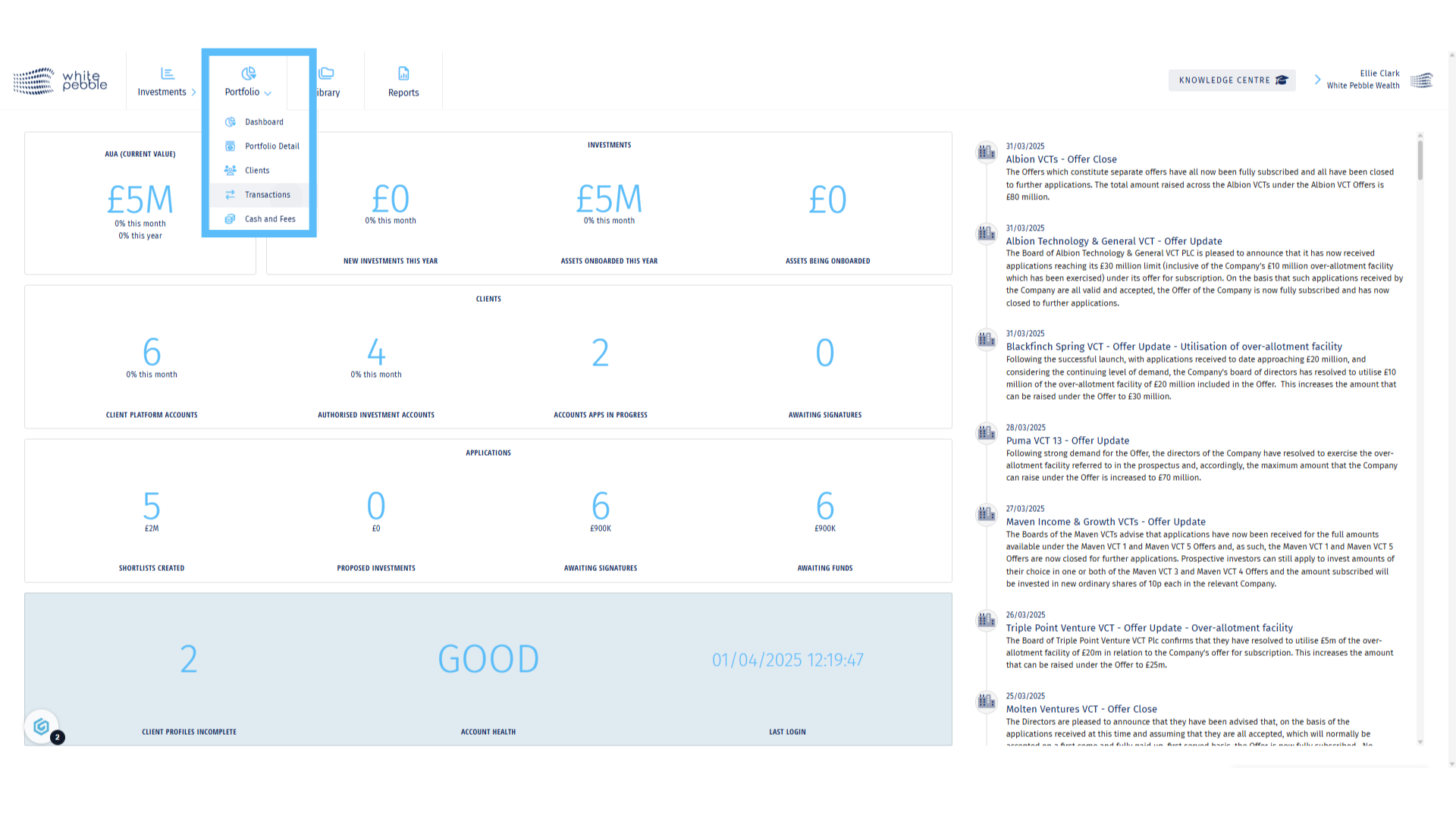
Transactions

2. Client Selection

Select the client whose transaction history you would like to view, from the list of names on the left hand side . Alternatively use the search bar.
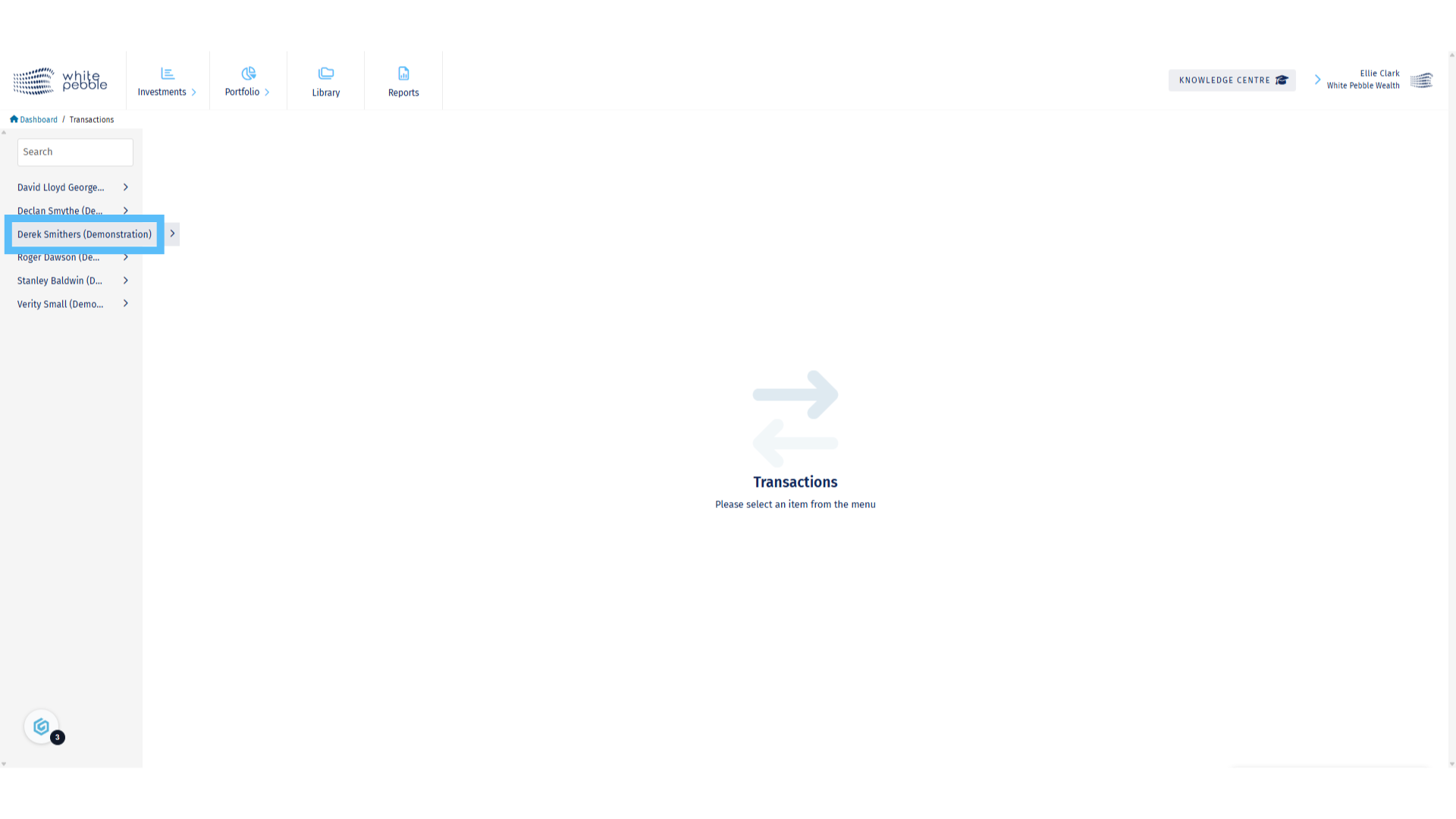
Client Selection

3. All Transactions

By clicking on the client’s name you will automatically open the All Transactions page, which is where every transaction that has occurred on the client’s account from will be visible. Please note this may include transactions from external fund accounts as well as the GrowthInvest platform itself.
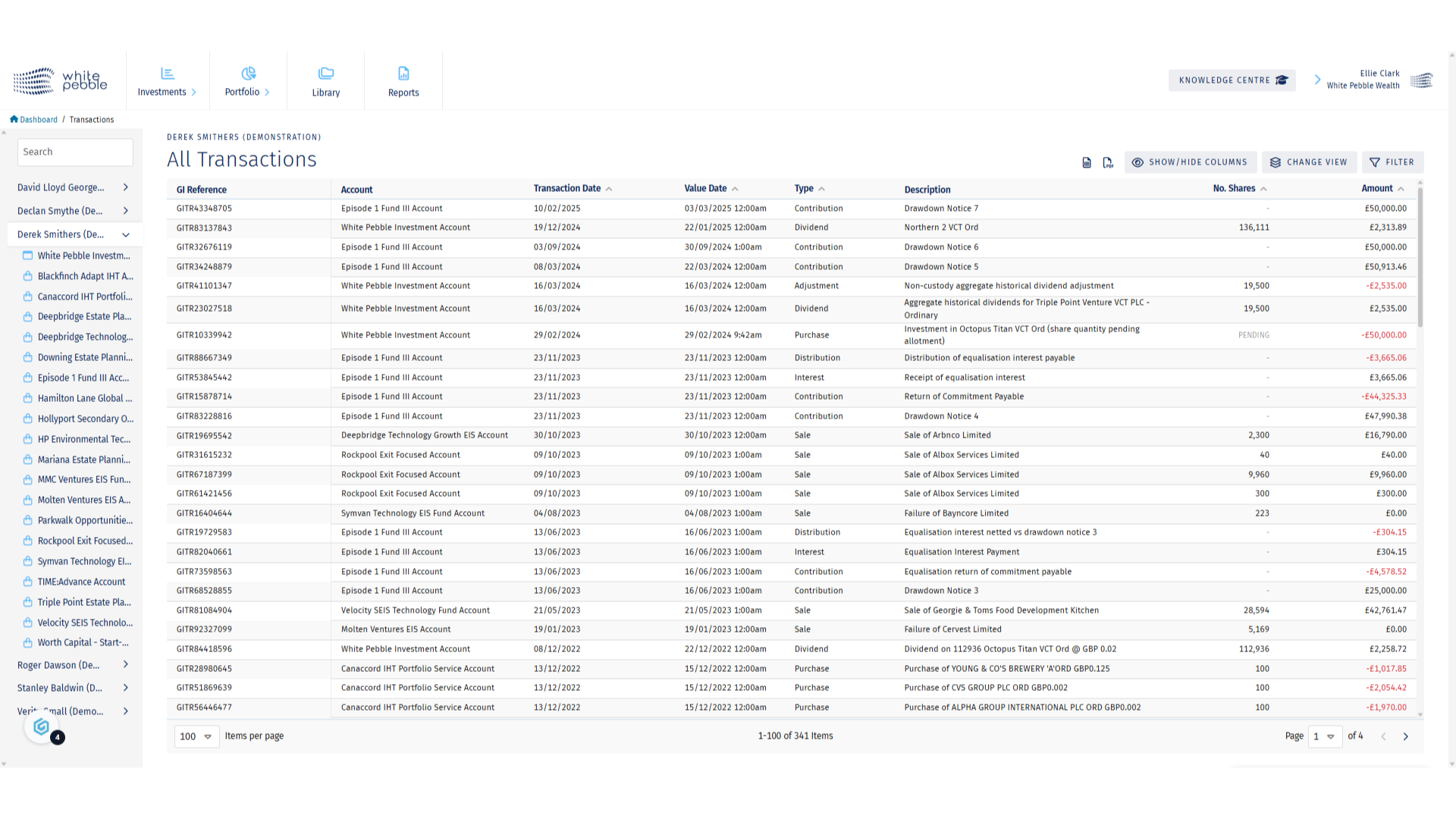
All Transactions

4. Applying a Filter

Due to the amount of information available, if you are looking for a certain transaction or a set of transaction types, we would recommend using the filter highlighted here.
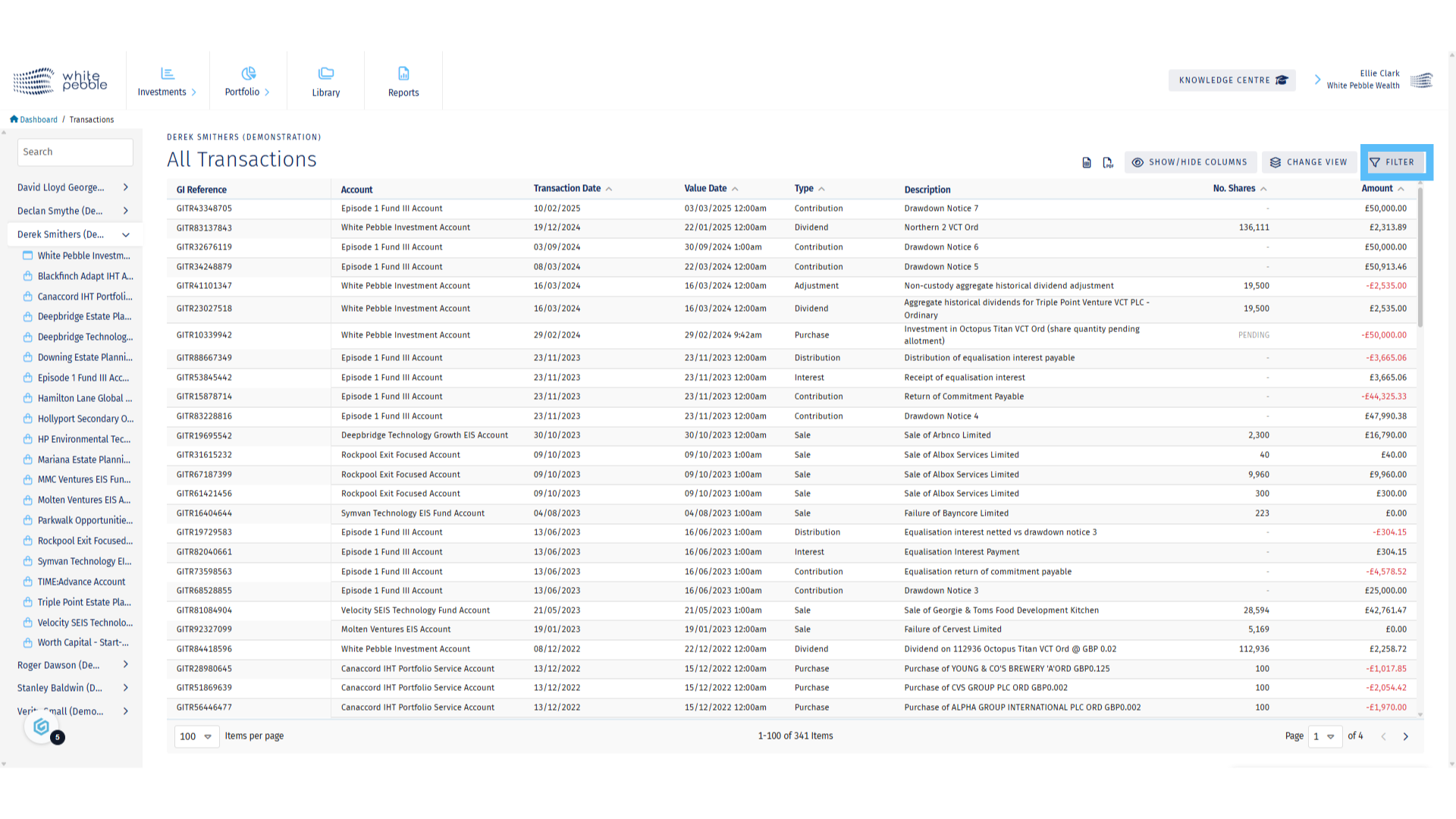
Applying a Filter

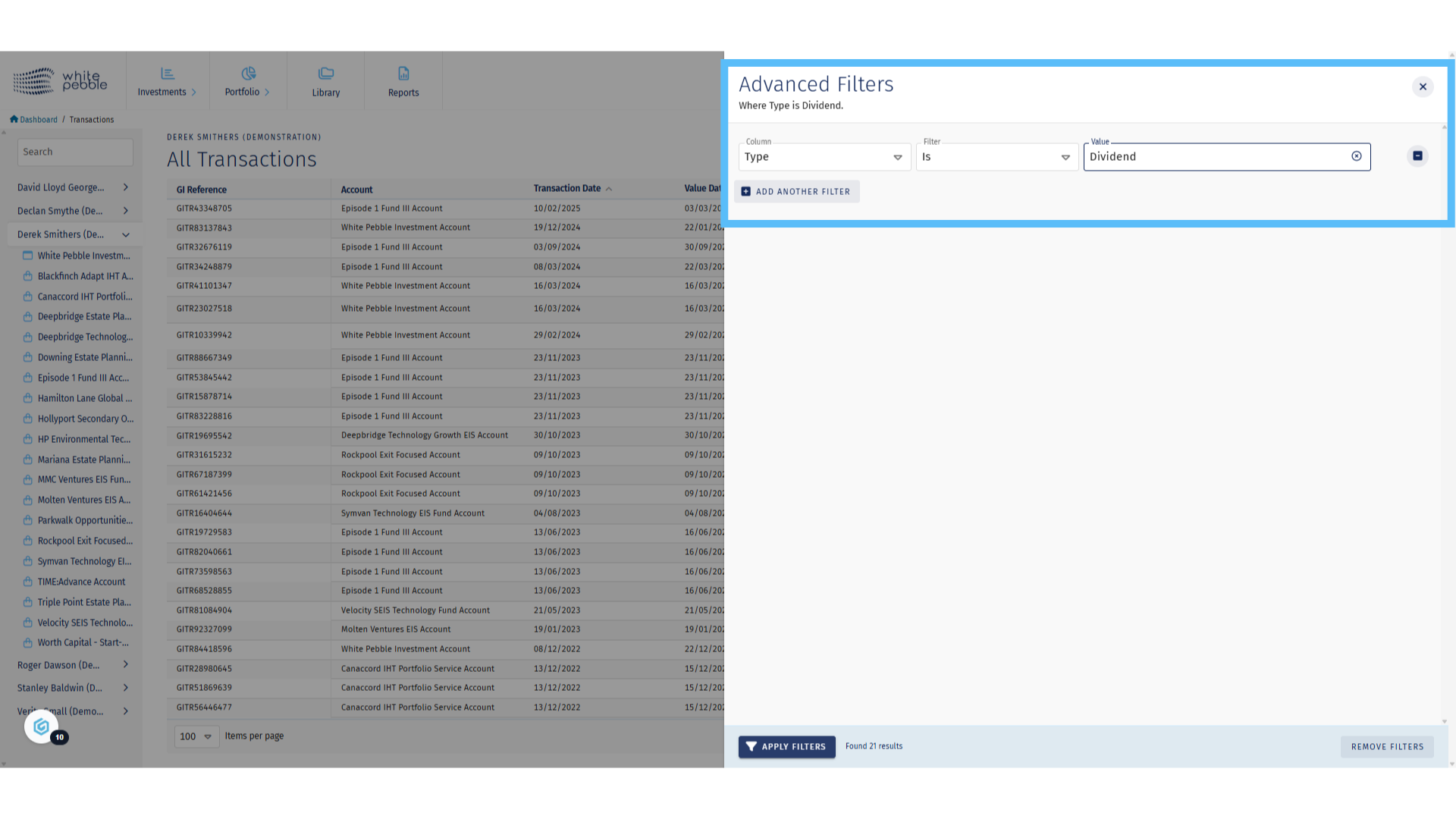
5. Applying a Filter

If you are looking for a certain type of investments, we’d recommend filtering for that type, for example a “dividend” or “fee”.
Applying a Filter

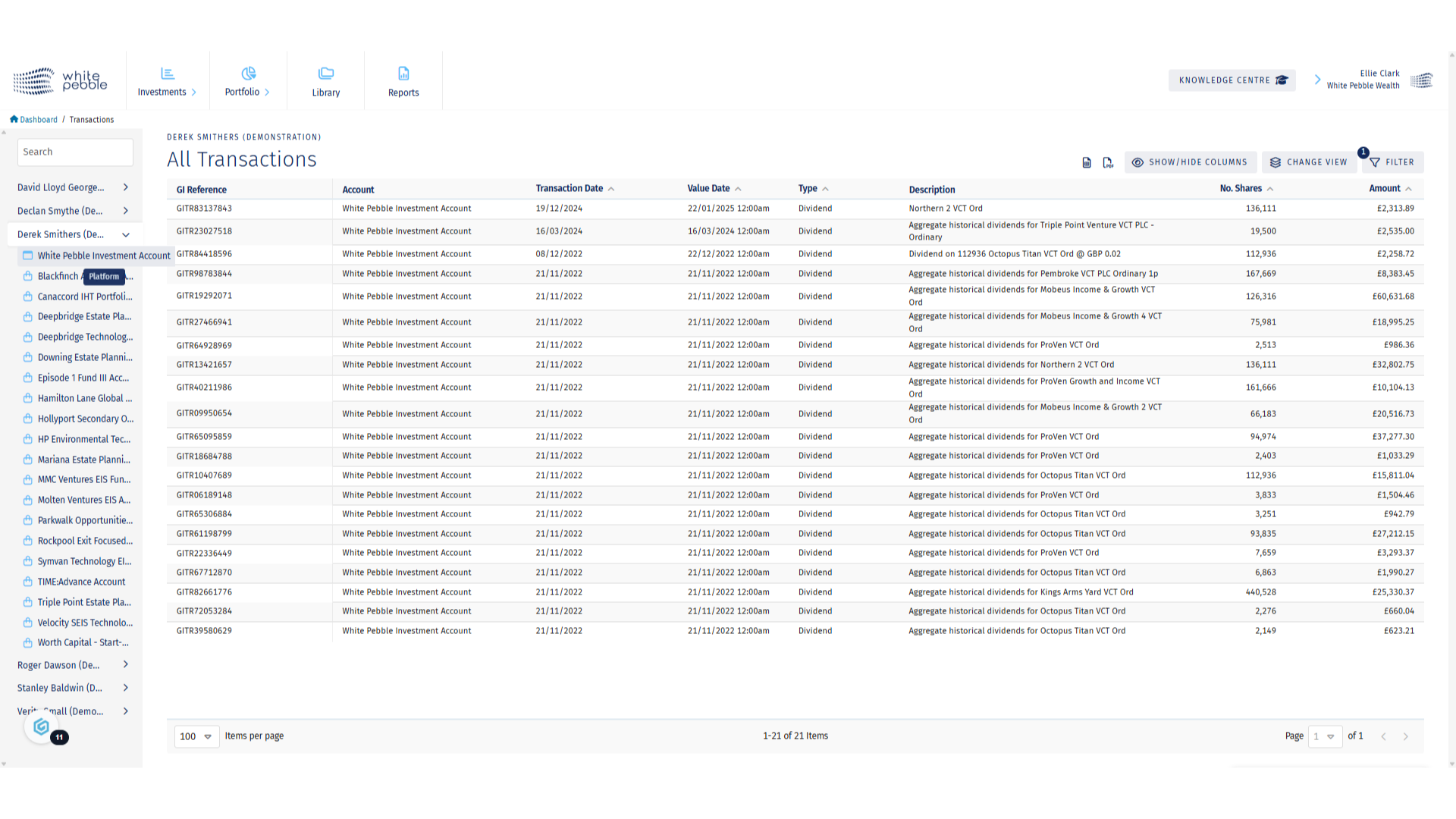
6. Filtered Results

Once the filter has been applied, the transactions page will update with the desired information.
Filtered Results

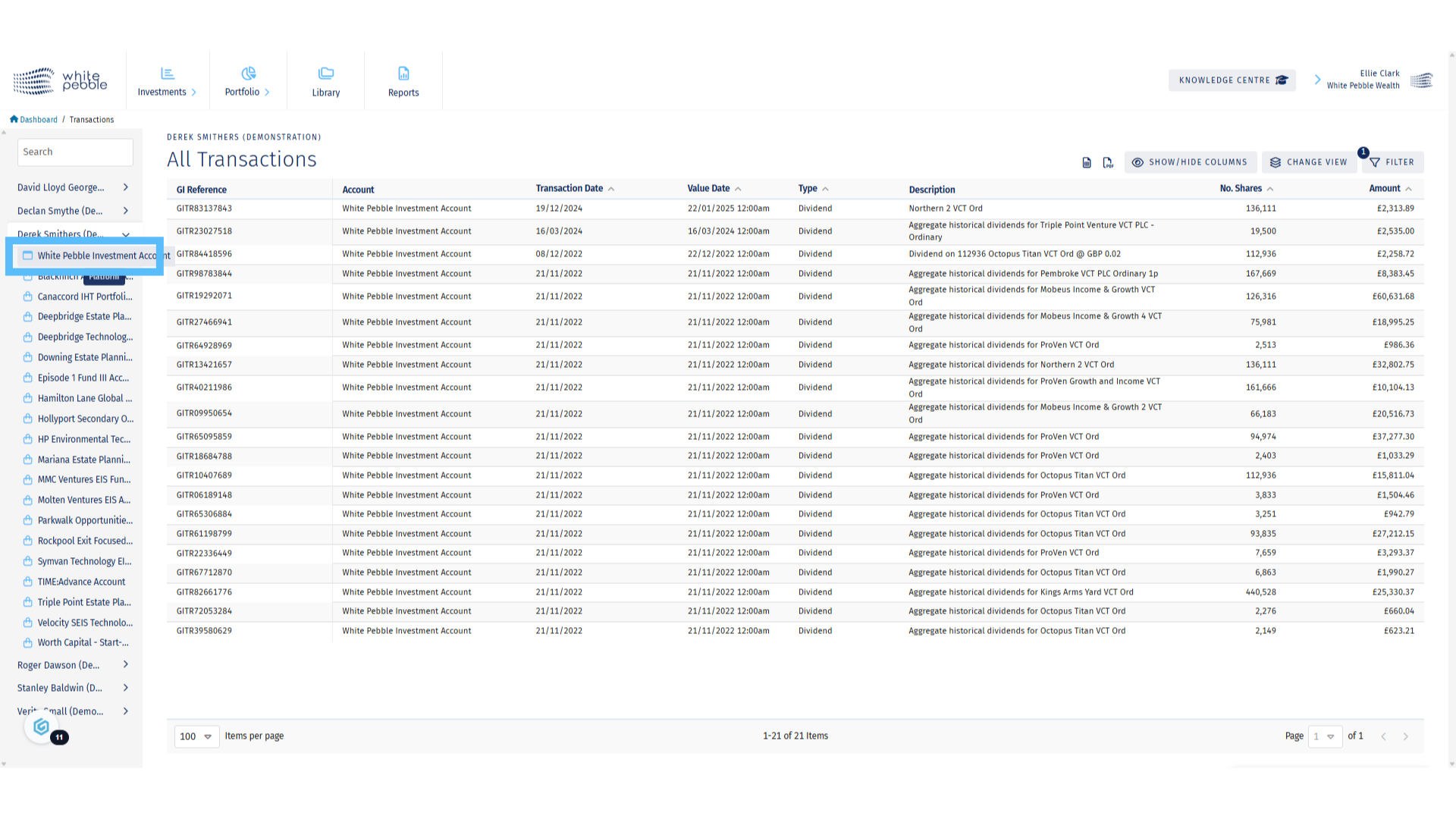
7. Custody Account Selection

If you wish to see the transactions for an individual custody account, you are able to do so via the Accounts list for each client on the left hand side. To view the custody accounts, select the first option which will be noted as “Platform Account”.
Custody Account Selection

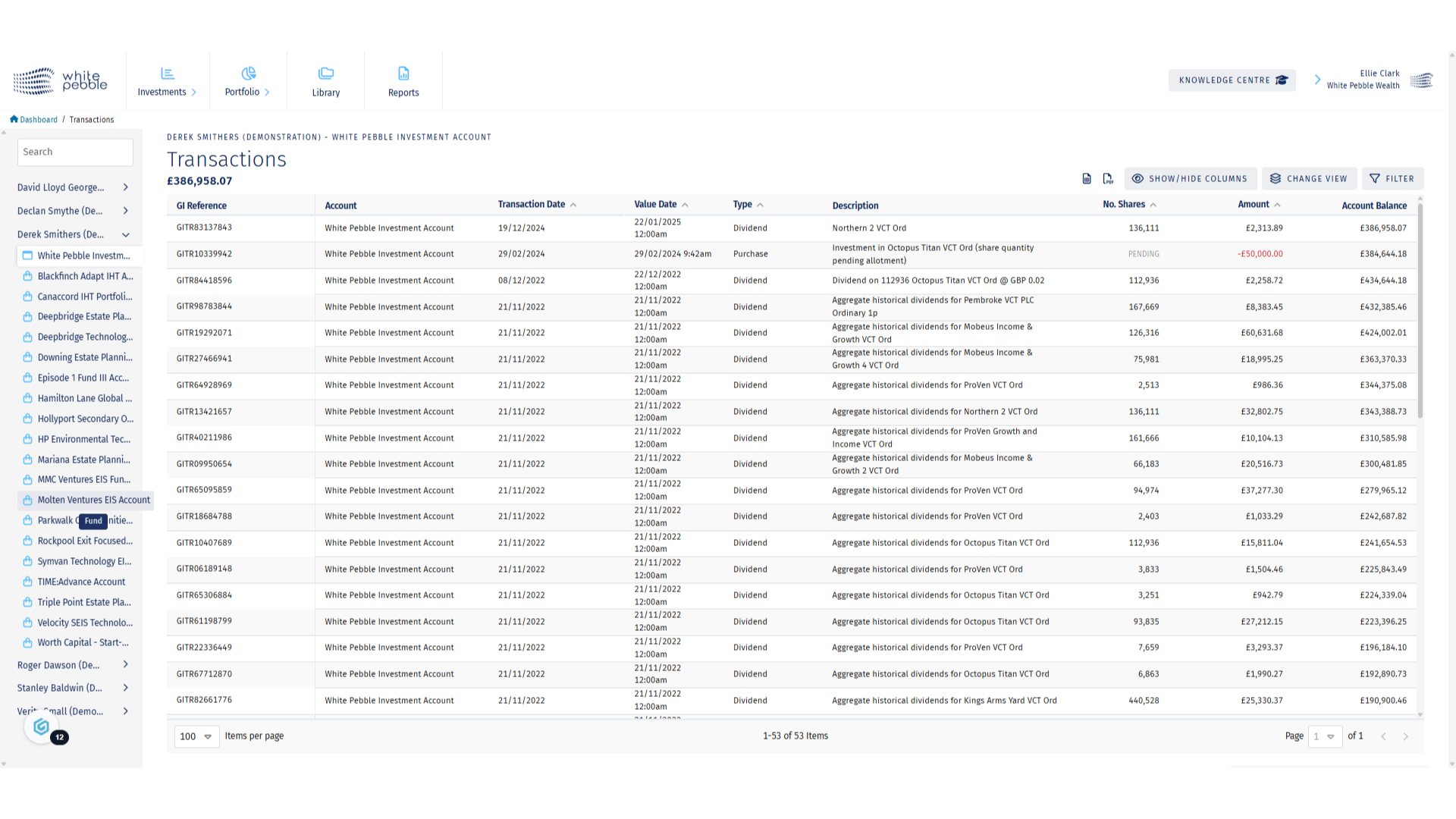
8. Custody Account Transactions

By selecting the platform account, you will see all transactions that took place on the GrowthInvest platform, such as payments in, withdrawals, fees as well as transactions investments listed as in custody such as VCTs. You will also now see the account balance on the far right hand side
Custody Account Transactions

9. Fund (Non Custody) Account Selection

For non-custody investments, such as most EIS and IHT funds, a single account will be available for each relevant Fund portfolio To view further information, select one of the available accounts.
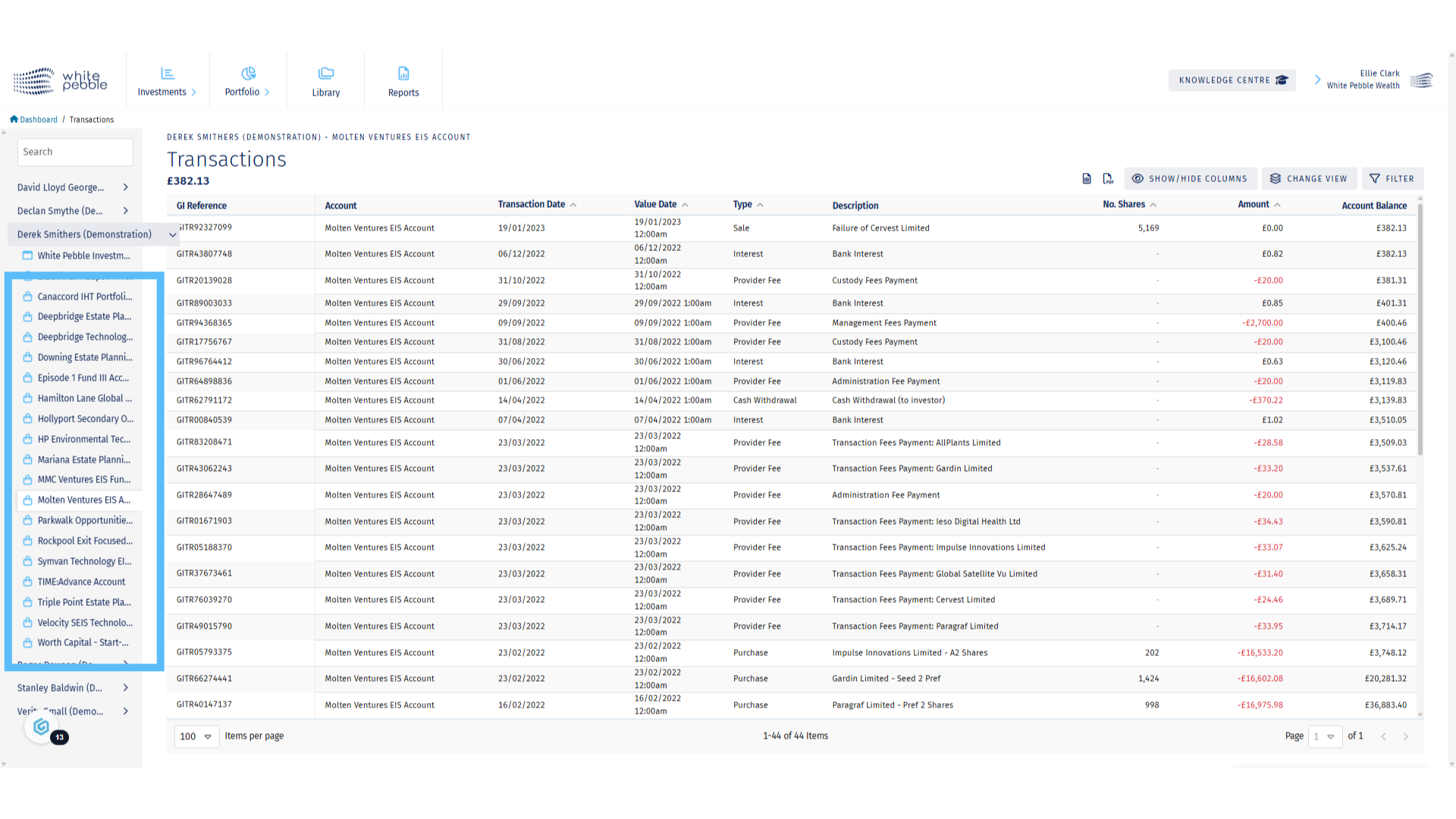
Fund (Non Custody) Account Selection

10. Non Custody Account Transactions

Once selected, you’ll be able to see all transactions that have occurred in relation to that client’s holdings in the chosen fund.
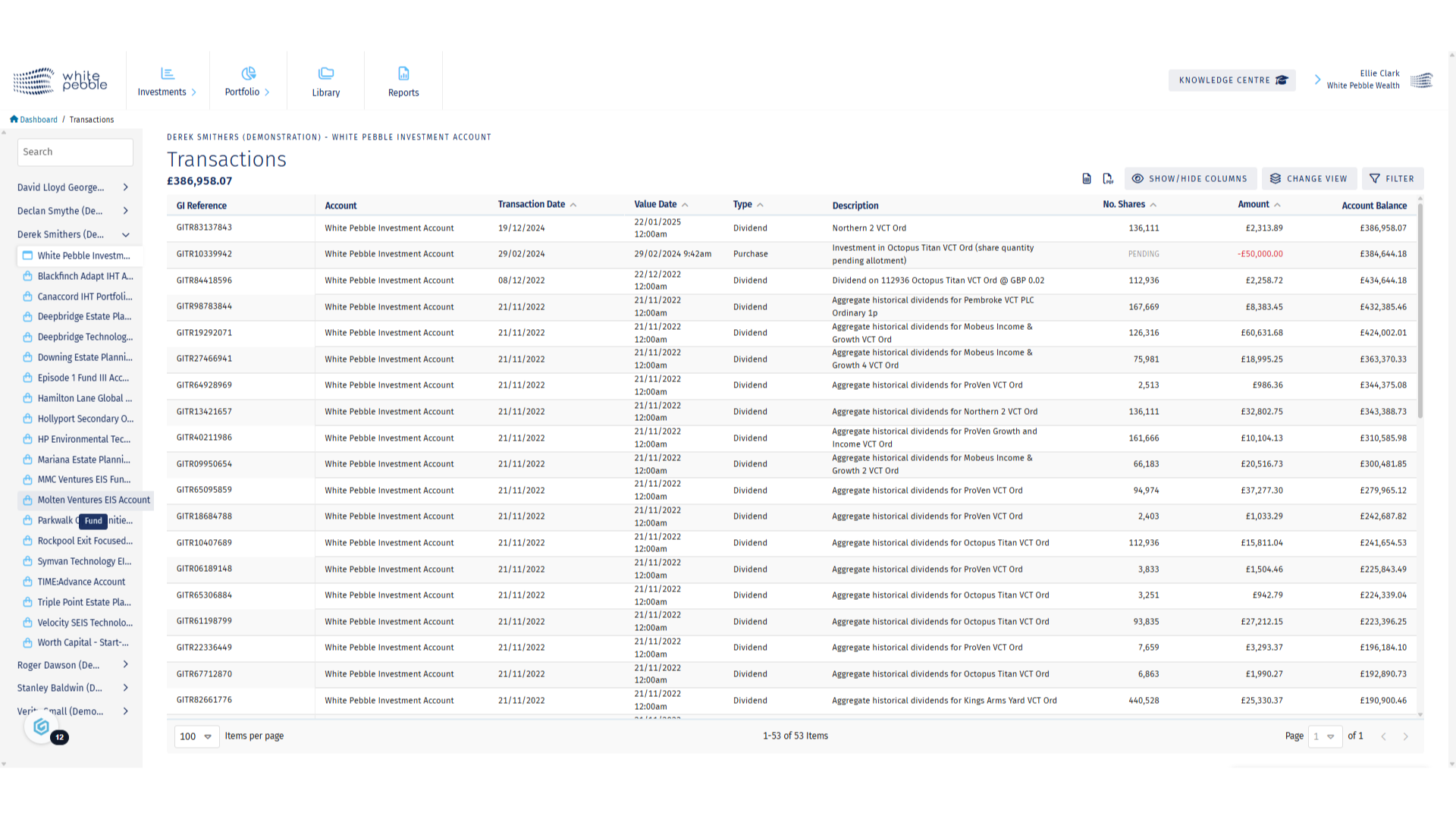
Non Custody Account Transactions

11. Additional Features

Selected transactions can be exported both as an Excel and PDF. Additionally, you are able to customise the view of the table by either filtering the results shown or by customising the columns visible using the Show/Hide Columns functionality.
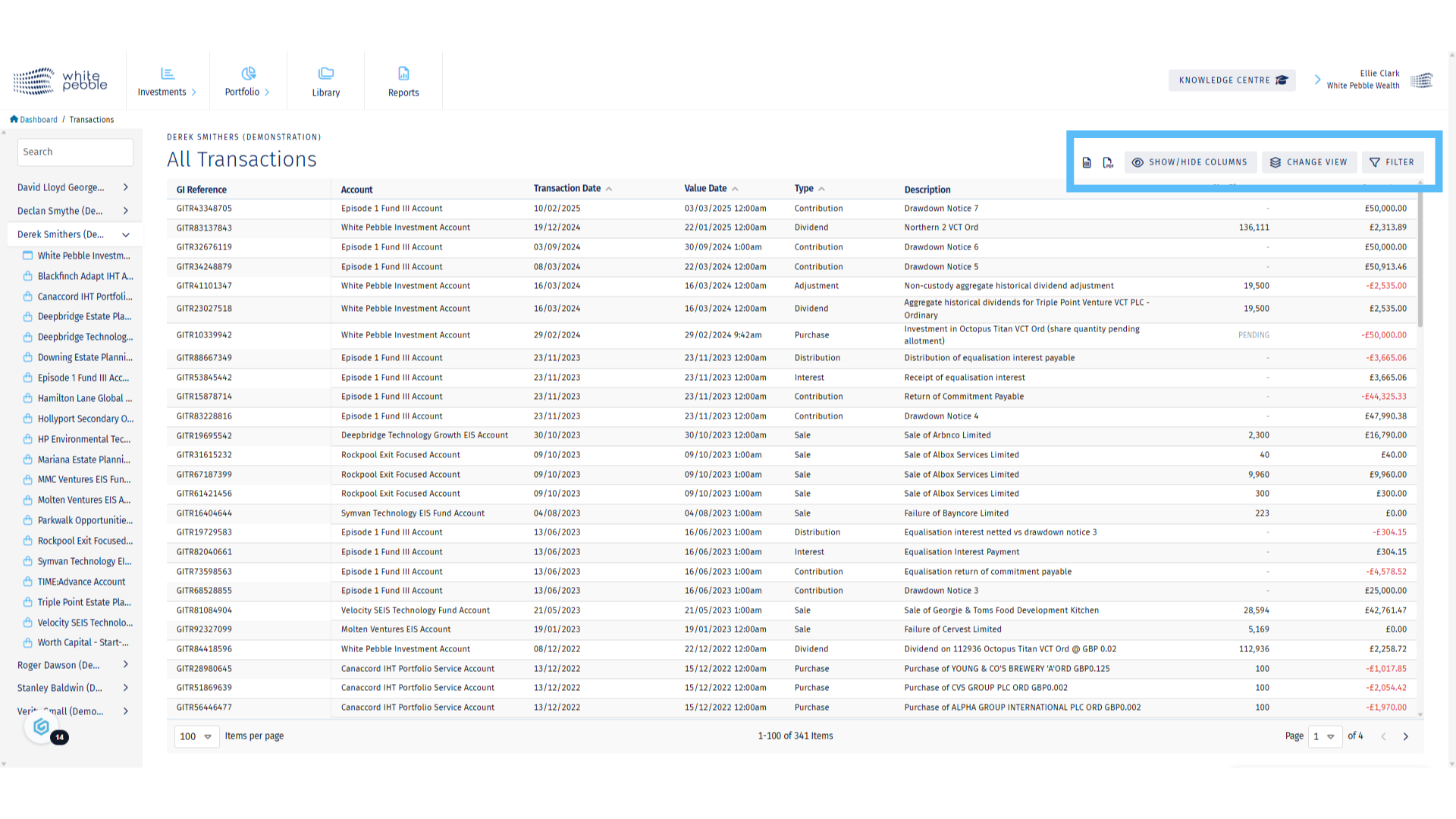
Additional Features

For further information about the GrowthInvest platform, please review our other educational materials or speak to a member of our team.
Scroll to Top

Important

Unapproved financial promotion for investment professionals only.
This is a financial promotion communicated by EIS Platforms Limited, trading as GrowthInvest (FRN 694945).
The content of this financial promotion has not been approved by an authorised person within the meaning of section 21 of the Financial Services and Markets Act 2000. It is communicated in reliance on the exemption in Article 19 of the Financial Services and Markets Act 2000 (Financial Promotion) Order 2005.
It is directed only at investment professionals falling within Article 19(5) of that Order. Persons who are not investment professionals must not act or rely on it. If you are not an investment professional, please do not proceed.
Reliance on this communication for the purpose of engaging in any investment activity may expose you to a significant risk of losing all of the money or other property invested. These investments are high risk and illiquid. Tax treatment depends on individual circumstances and is subject to change. Past performance is not a reliable indicator of future results.

Request VCT Buy-Back Calendar Link

If you would like to see our VCT Buy-Back Calendar, please register your interest and a few additional details and we will get back to you very soon with a link to view the calendar.

Market Download Subscribe

The market download is a regular weekly newsletter for financial advisers, wealth managers and industry contacts. If you would like to receive it, please submit a subscription request below, and our team will review and come back to you with any questions. Please note this newsletter is only intended for industry professionals and connected parties.

Global Returns Project: Find Out More or Make A Donation

Please fill in the details below to find out more or to enquire about making a donation to the Global Returns Project.

Download Request​

Please provide your details in order to download this document.

Download Request

Please provide your details in order to download this document.

Download Request

Please provide your details in order to download this document.

Download Requests

Please provide your details in order to download this document.

Arrange a Demonstration

Please provide as many details as you can and we will get back to you very soon to arrange the demonstration with you.

Sign Up to GrowthInvest

Thank you for your interest in GrowthInvest. We offer GrowthInvest platform accounts to certain private investors as well as to their financial advisers and wealth managers. Because different regulations apply, please choose the correct sign up option below.

If you are a private investor

Please visit the GrowthInvest Platform login page and click on the Register link.

If you are an industry professional

Please provide the following details to help us review your request and configure your account appropriately.

Message Us or Register Interest

If you would like to leave us a message or register your interest in the GrowthInvest platform, please leave a few details outlining how we can help and we will get back to you very soon.

Message Sent

Thanks for your message. We will be in touch soon.