
Go to app.growthinvest.com
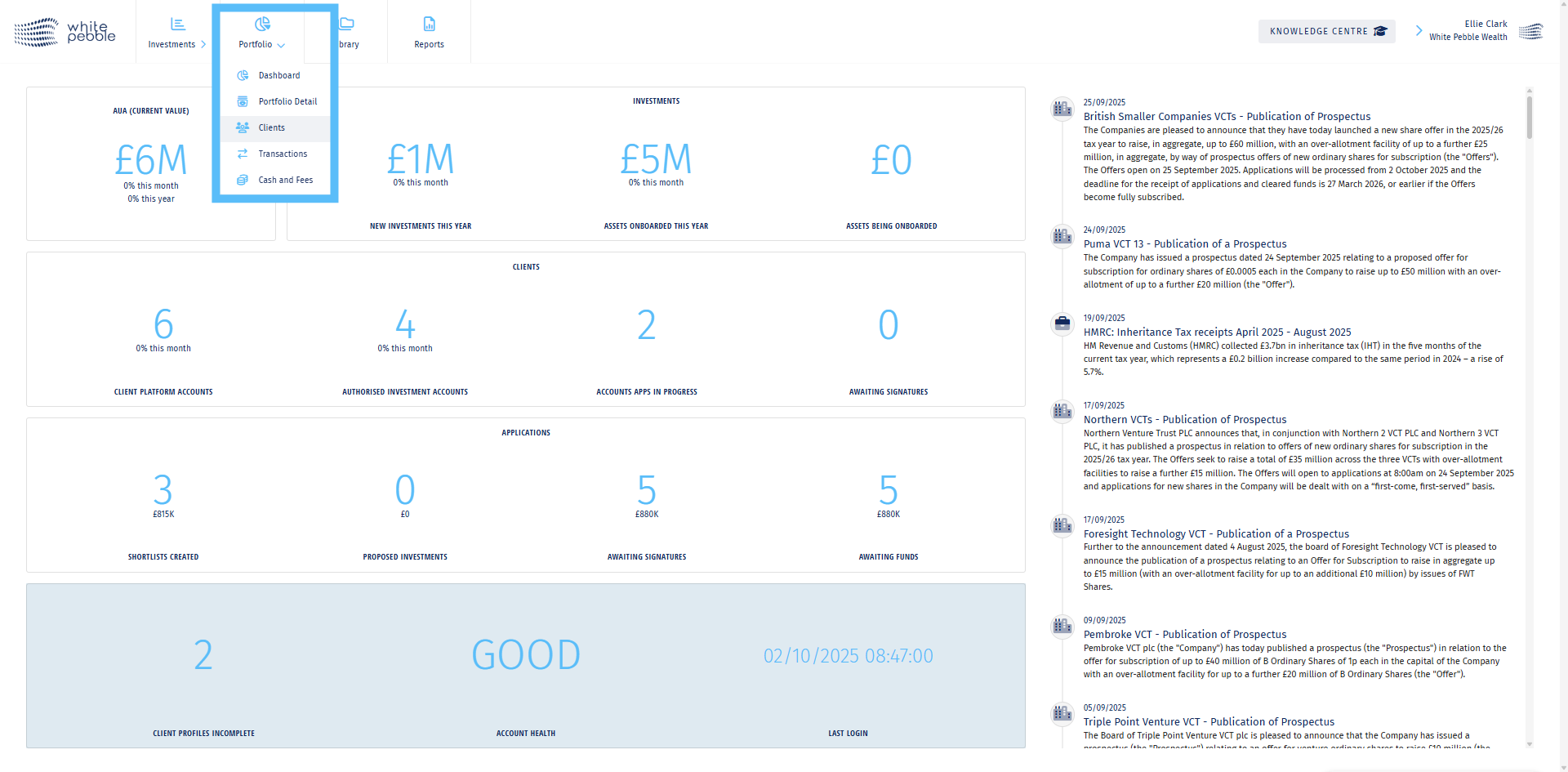
1. Select the “Clients” tab
Select the ‘Clients’ tab to access your client list and manage their details.
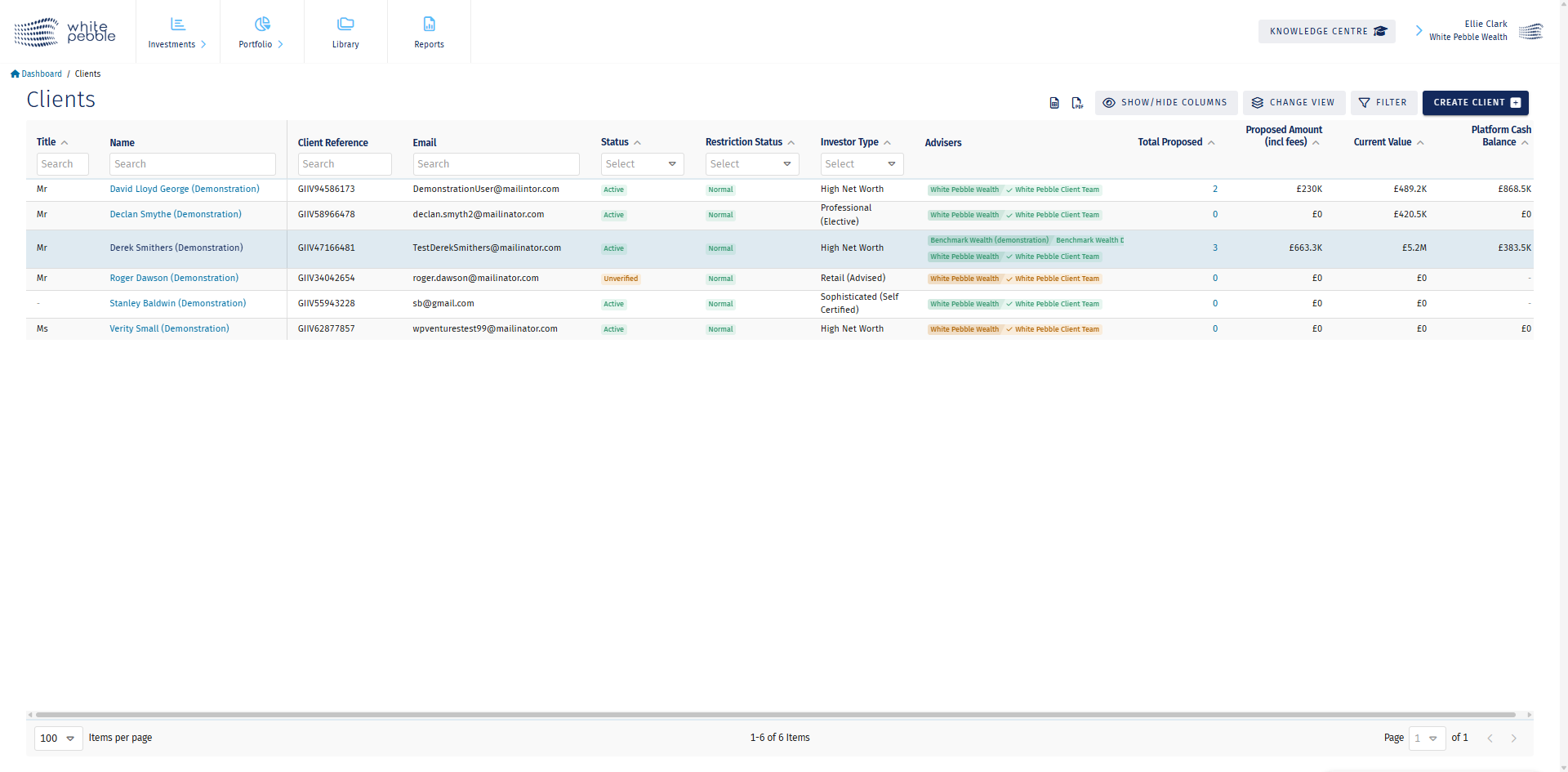
2. Select a client
Click on a client’s name to open their “Client Profile.”
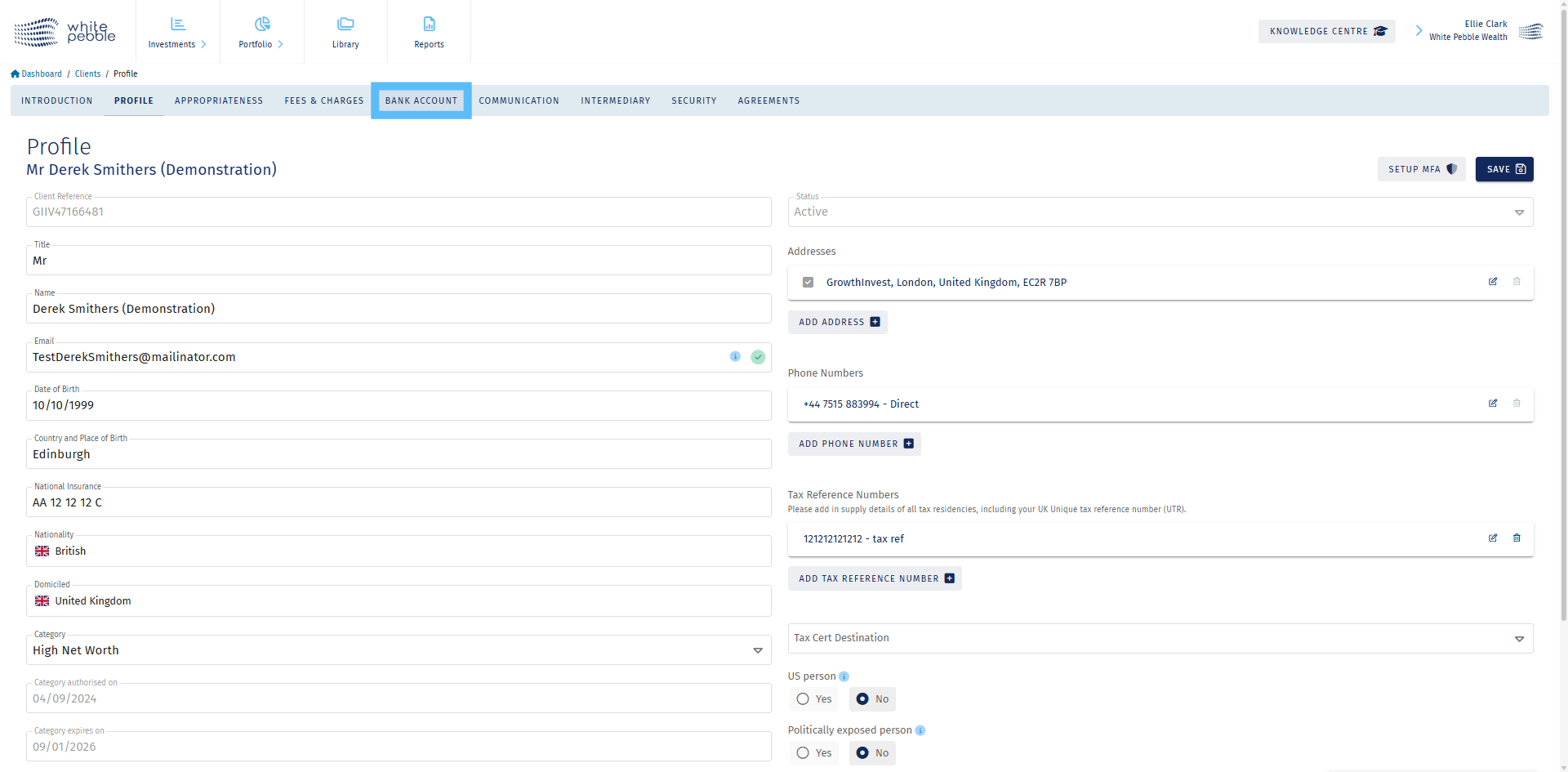
3. Select the “Bank Account” tab
Within the Client Profile, click on the ‘Bank Account’ tab to view the bank details and client-specific payment references related to the client.
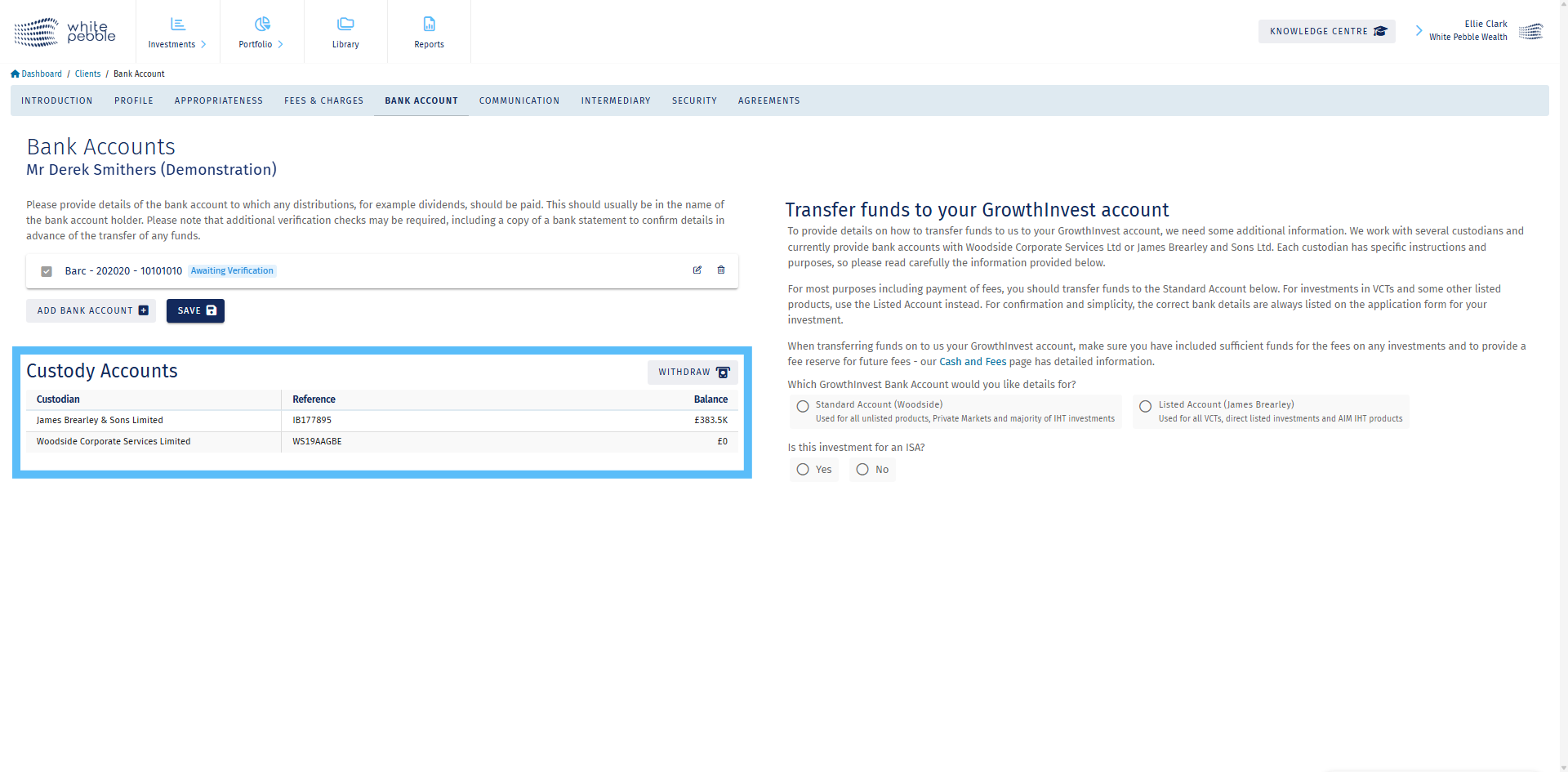
4. Custody Accounts
In the highlighted section, information about the client’s custodian accounts is listed, along with each payment reference. If you are not sure which custodian account payments should be made to, please refer to the “Transferring Funds” section.
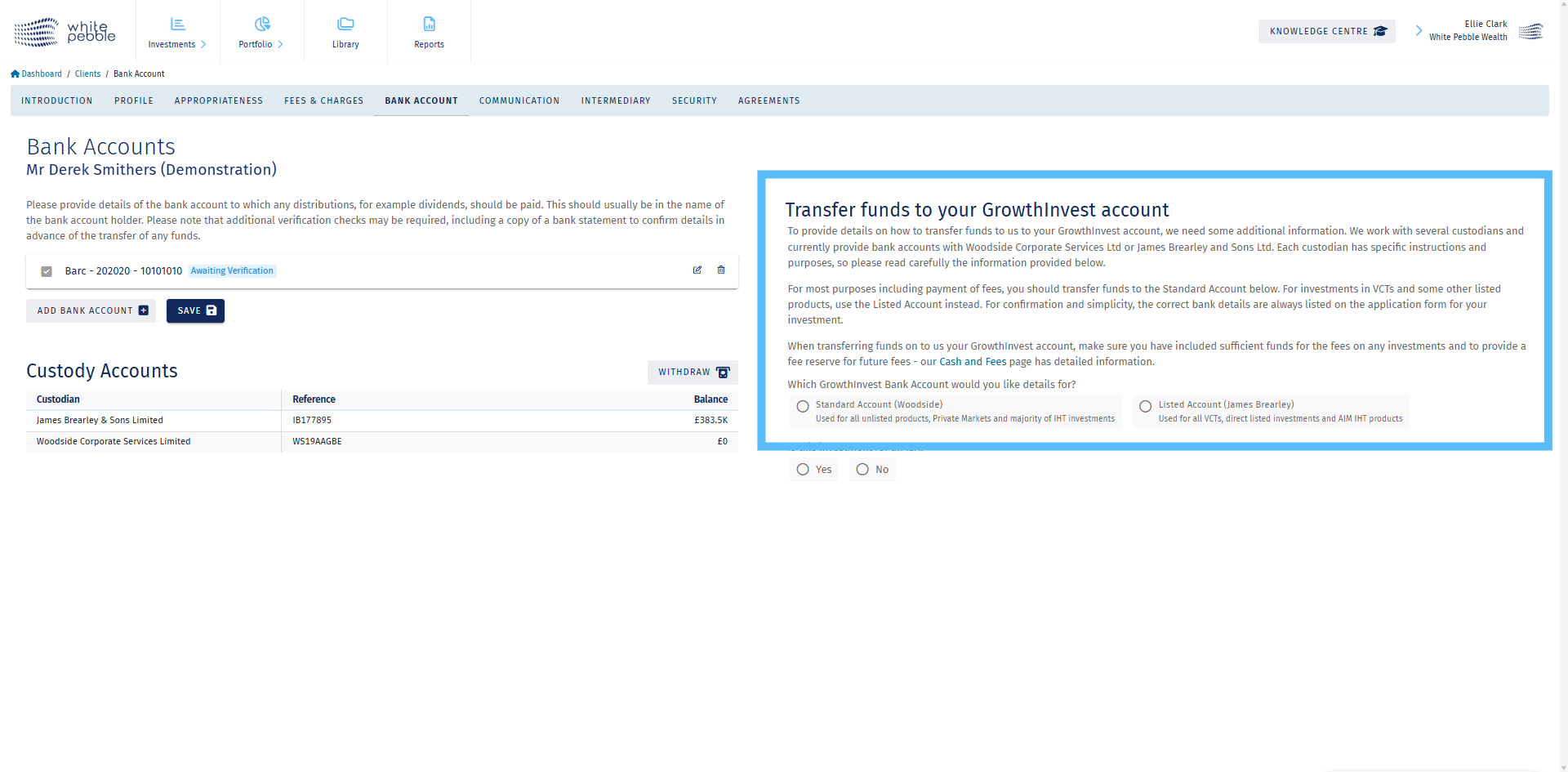
5. Transferring Funds
In this section, below the explanation, you are able to select the type of investment the client is looking to make, in order to bring up the relevant information. If you are unclear of what account to use, please contact GrowthInvest client services team before making any transfers.
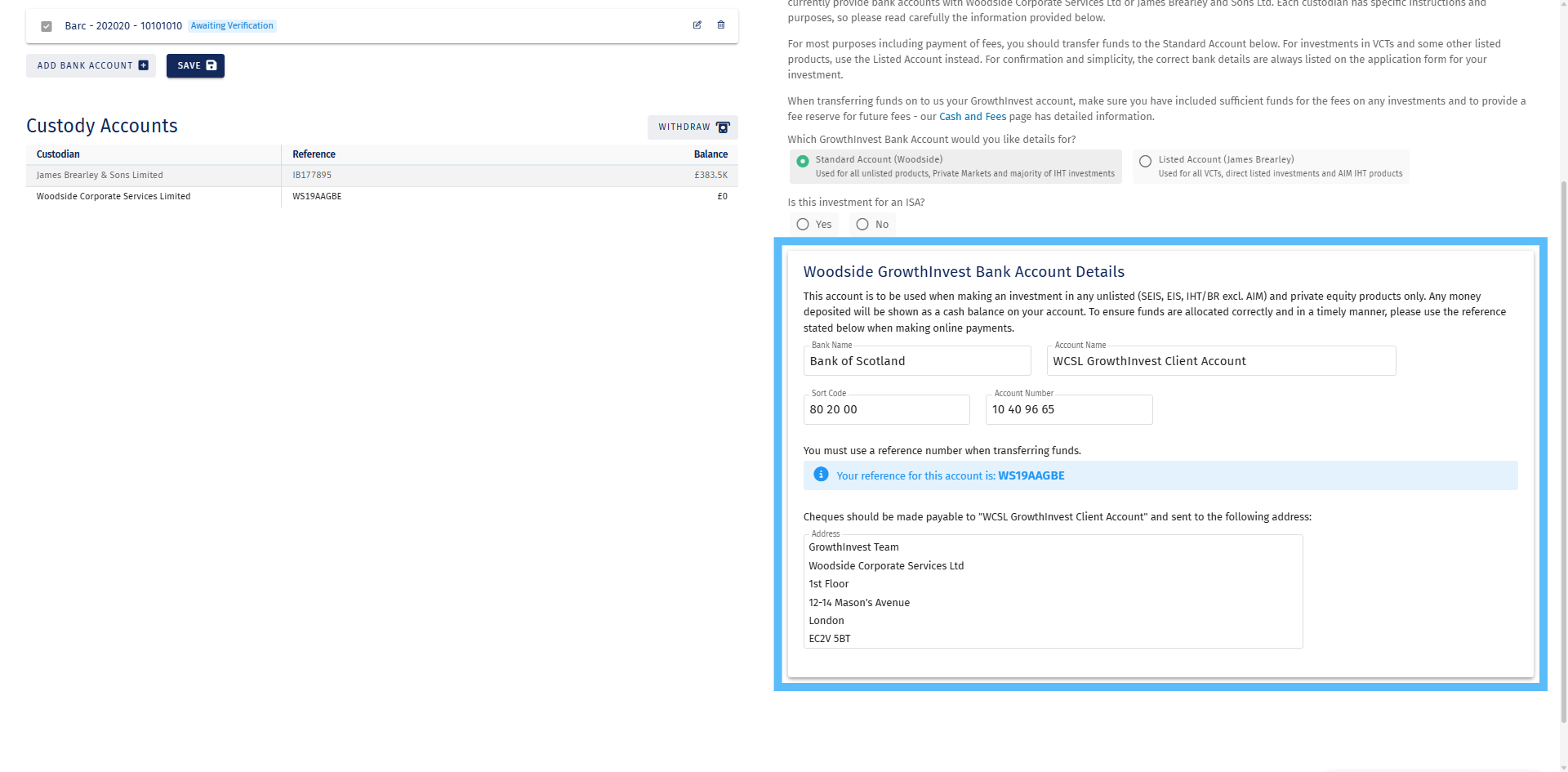
6. The Standard Account (Woodside)
The Standard Account (Woodside) is used for all unlisted products, Private Markets and the majority of IHT investments.
The client’s payment reference is highlighted in blue for clarity.
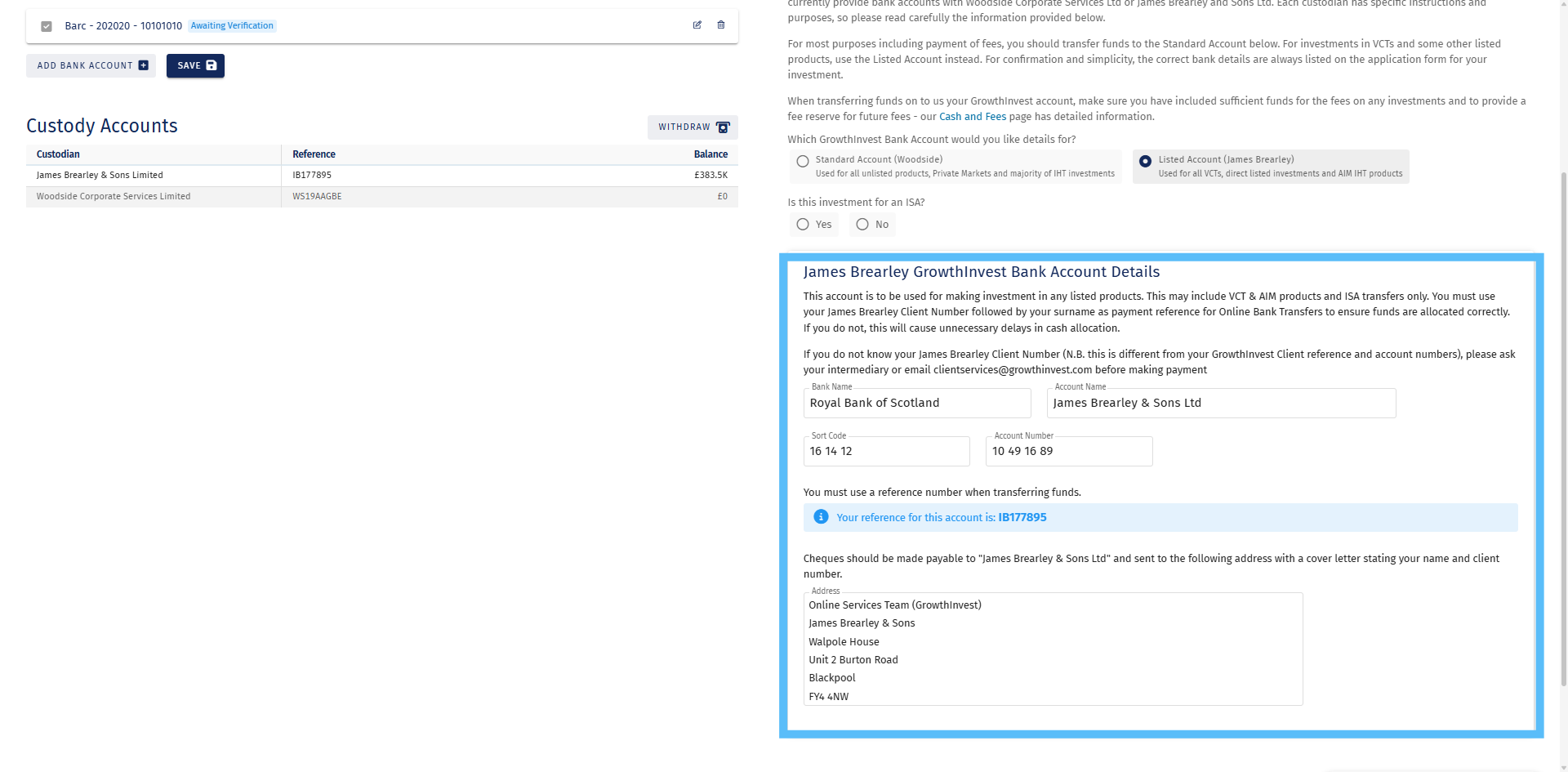
7. Listed Account (James Brearley)
The Listed Account (James Brearley) is used for all VCTs, directly listed investments and some AIM IHT products. Again, the client’s payment reference is highlighted in blue for clarity. When clients are making investments, the required custodian account will also be listed on the application form.
For further information about the platform or our process, please review our other educational materials available in our Knowledge Centre or speak with a member of our team.